

By the end of this guide, you’ll know how to analyze your own site’s backlinks (links from other websites pointing to your site), how to find competitor backlinks, and how to find new backlink opportunities.
Why Backlinks Matter
Backlinks from reputable, relevant websites signal to search engines that your content is trustworthy. And that can improve your chances of ranking higher in search results and attracting more traffic.
In our 2024 Ranking Factors study, we found that 8 out of the top 20 factors with the strongest correlation to ranking are related to backlinks.
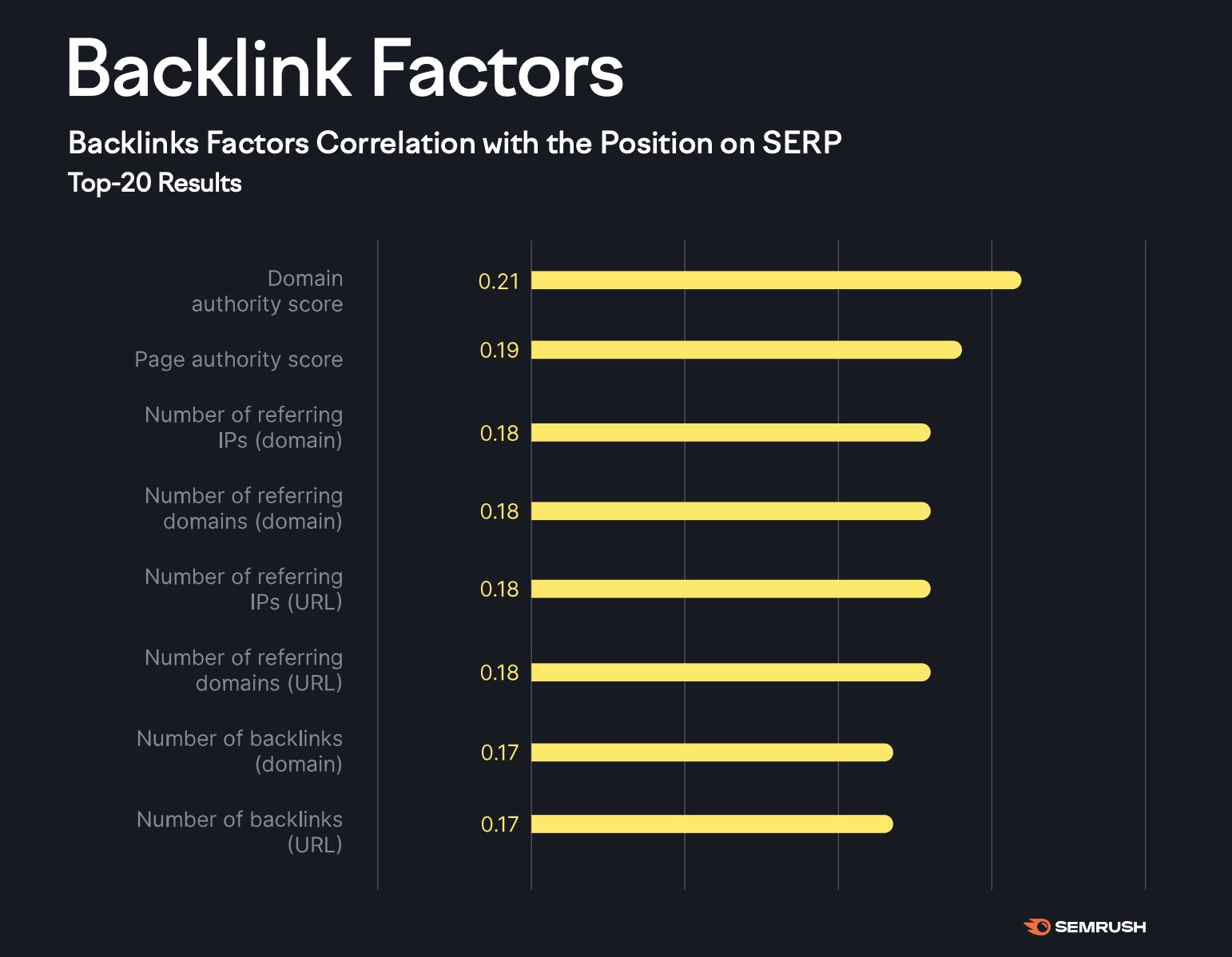
And while some top-ranking pages we analyzed had thousands of backlinks, the median number of backlinks for top-ranking pages is only 13. Which means you don’t necessarily need thousands of backlinks to rank highly.
5 Ways to Find Backlinks
The below tools help you find backlinks to your site—and some options let you find backlinks to any site.
1. Google Search Console
Google Search Console helps you find which sites link to you along with useful information like the anchor text (the clickable part of link) they use and how many links point to each page on your site.
Here’s how to find backlinks for your website with Google Search Console:
- Sign in to your Google Search Console account
- Click “Links” in the left-hand navigation menu
- Review the “External links” reports
- Click “More >” to drill into specific reports
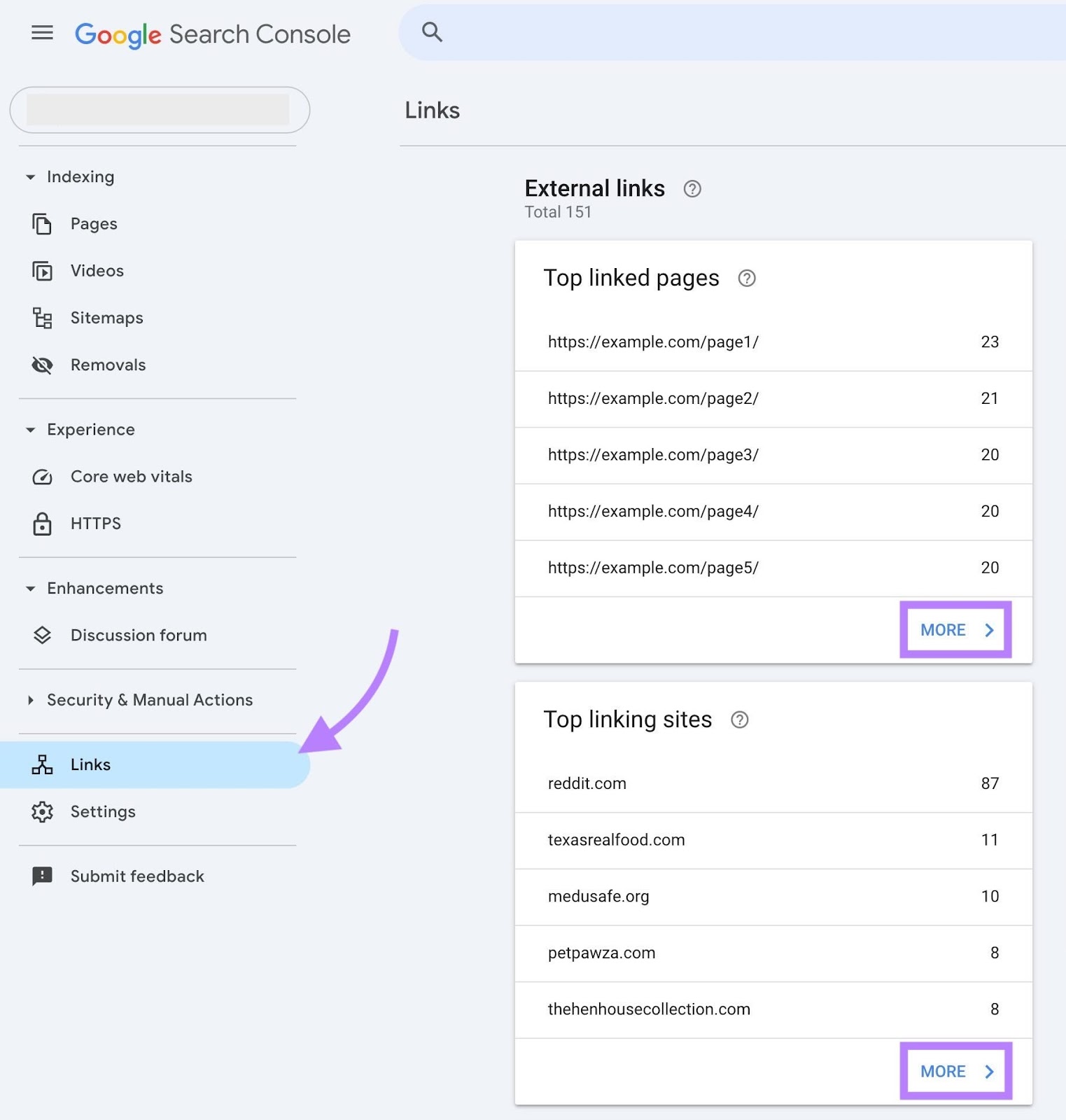
The specific reports you can click into are:
- Top linked pages: Shows which pages on your site have the most backlinks and how many unique domains link to each one. So you can spot which pages are most attractive and where you might need to build more links.
- Top linking sites: Lists the domains that link to your site most frequently. Which reveals your strongest backlink sources and helps you evaluate the quality and breadth of referring domains.
- Top linking text: Displays the most commonly used anchor text in backlinks to your site. So you can monitor for variety, relevance, and potential over-optimization (over-optimized anchor text is an overuse of the keywords you want to rank for, which can appear unnatural to search engines).
To export all your backlinks, click “Export External Links” and select “More sample links” to export all backlinks. Or “Latest links” to export your newest backlinks.
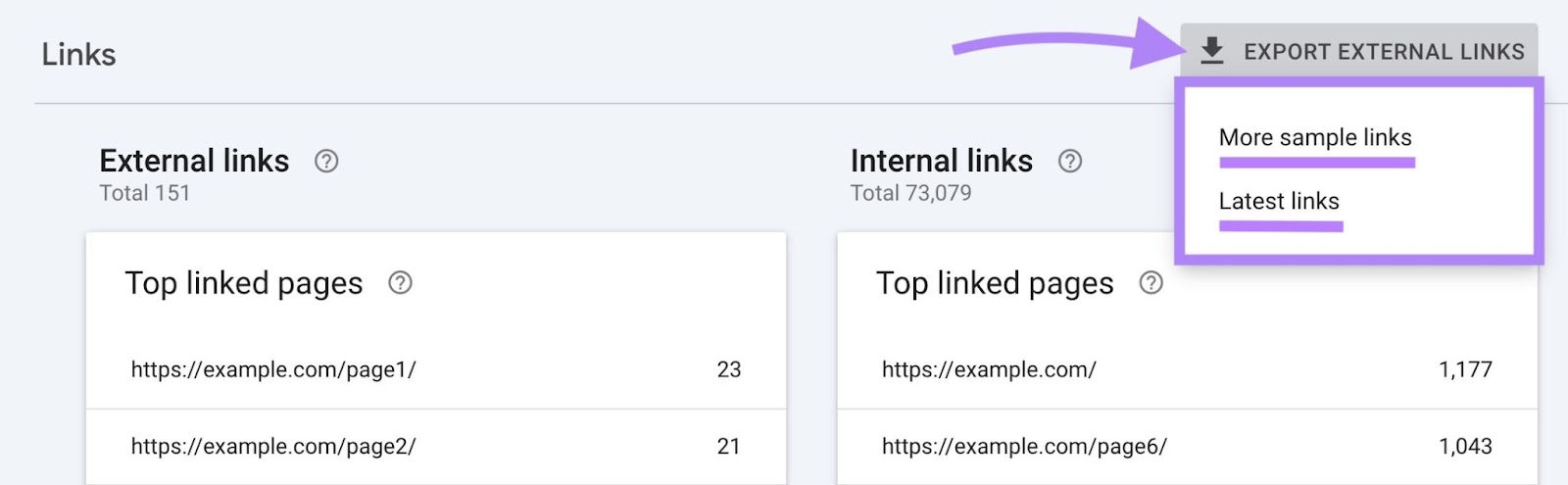
You can also export any of the individual reports.
Google Search Console is useful when you need a quick look at your backlinks. And it won’t lead to data overwhelm.
2. Semrush Backlinks
Semrush’s Backlinks tool draws on a database of more than 43 trillion links to let you find your site’s backlinks and competing sites’ backlinks.
First, enter your domain (or a rival’s) and click “Analyze.”

1 thought on “How to Find Backlinks to Your Site + Tips for More Backlinks”
Hi, this is a comment.
To get started with moderating, editing, and deleting comments, please visit the Comments screen in the dashboard.
Commenter avatars come from Gravatar.